What is Occult?
A systems programming language with the control of C and a modern syntax.
Building the Language
Linux Build Instructions
Prerequisites
- C++23 or higher
clangcmakemakegit
clang is required; gcc miscompiles parts of the compiler. CMakeLists.txt enforces clang++ / clang.
Linux Build Command
git clone --recurse-submodules https://github.com/occultlang/occult.git && cd occult
chmod +x build.sh
./build.sh
Windows Build Command
git clone --recurse-submodules https://github.com/occultlang/occult.git && cd occult
cd occult
.\build.bat
Windows Build Instructions (Manual)
Prerequisites
- Visual Studio (newer the better)
gitcmake
Visual Studio C++ Settings
 Open Visual Studio Installer, and click modify.
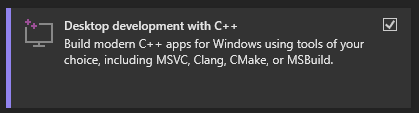 Make sure you have C++ enabled.
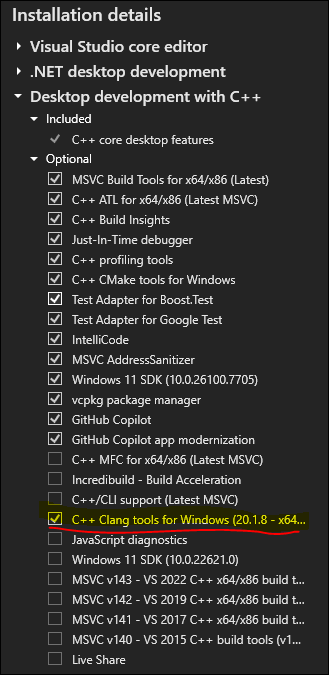 Enable clang tools for Windows.
Building with Visual Studio
git clone https://github.com/occultlang/occult.git
cd occult
cmake -G "Visual Studio 18 2026"
"Visual Studio 18 2026" is the generator name for Visual Studio 2026 — swap for your installed version. cmake -G on its own prints the available generators.
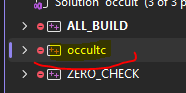
Open occult.slnx in the cloned directory. In Solution Explorer, right-click occultc → Properties (or Alt + Enter).
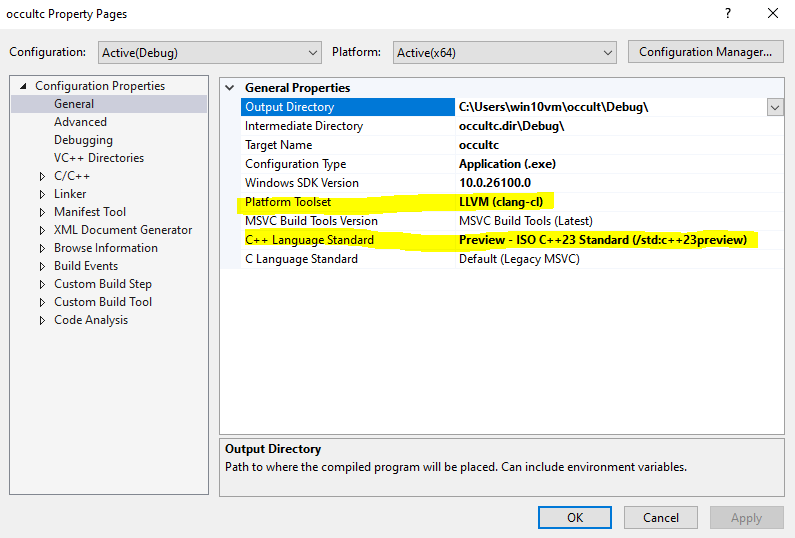
Set Platform Toolset to LLVM(clang-cl) and the C++ language standard to C++23. Apply.
Under C/C++ → Command Line, clear the Additional Options field. Apply.
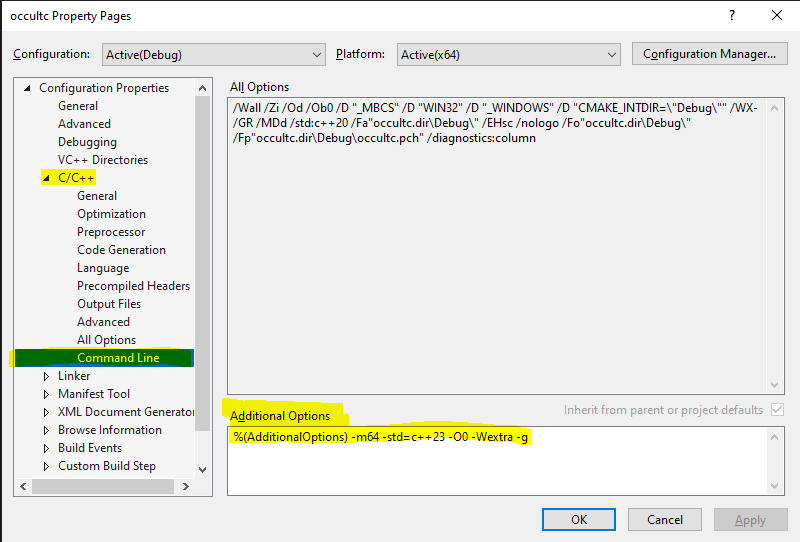
Build.
Running a Program
The binary is occultc on Linux, occultc.exe on Windows. Source files use .occ.
Compiler Options
occultc.exe on Windows.occultc -h shows the help menu. Usage: occultc [options] source.occ
| Option | What it does |
|---|---|
-t, --time |
Show compilation time per stage. |
-d, --debug |
Enable debug mode (implies --time). |
-o, --output |
Output a native binary. Static ELF/PE when the program calls no library, dynamic ELF or importing PE when it does — no linker or toolchain needed. A program with any export fn becomes a .so or .dll through the same driver. |
-c, --compile-only |
Output an object file: ELF .o on Linux, COFF .obj on Windows (pick with --format), for cc or cl to link. |
-W, --writable-text |
Mark .text writable (with -c), for a db block the program writes into. |
-l, --load |
A library for extern fns outside any module ... link "...". Repeatable; -lz, -l z, and -l libz.so.1 all work. |
--abi |
Calling convention (default: host). |
--format |
Object file format for -c (default: this host's). Picks the ABI unless --abi says otherwise. |
--no-drectve |
Leave the MSVC /DEFAULTLIB directives out of a COFF object (for toolchains like mingw-w64). |
-h, --help |
Show this message. |
-o nor -c is given; there is no -j / --jit flag. Everything after -- on the command line becomes the running program's argv, not occultc's options.Hello World
Save as hello_world.occ:
import stdio from std;

fn main() {
    std::printf("Hello, World!\n");
}
Run with the JIT:
occultc hello_world.occOr produce a standalone binary: occultc -o hello hello_world.occ (-o hello.exe on Windows).